
Download Facebook Video - Free Facebook Video Downloader
Want to download Facebook videos to your computer? XGetter lets you save Facebook videos in HD and Full HD quality with just a few clicks.
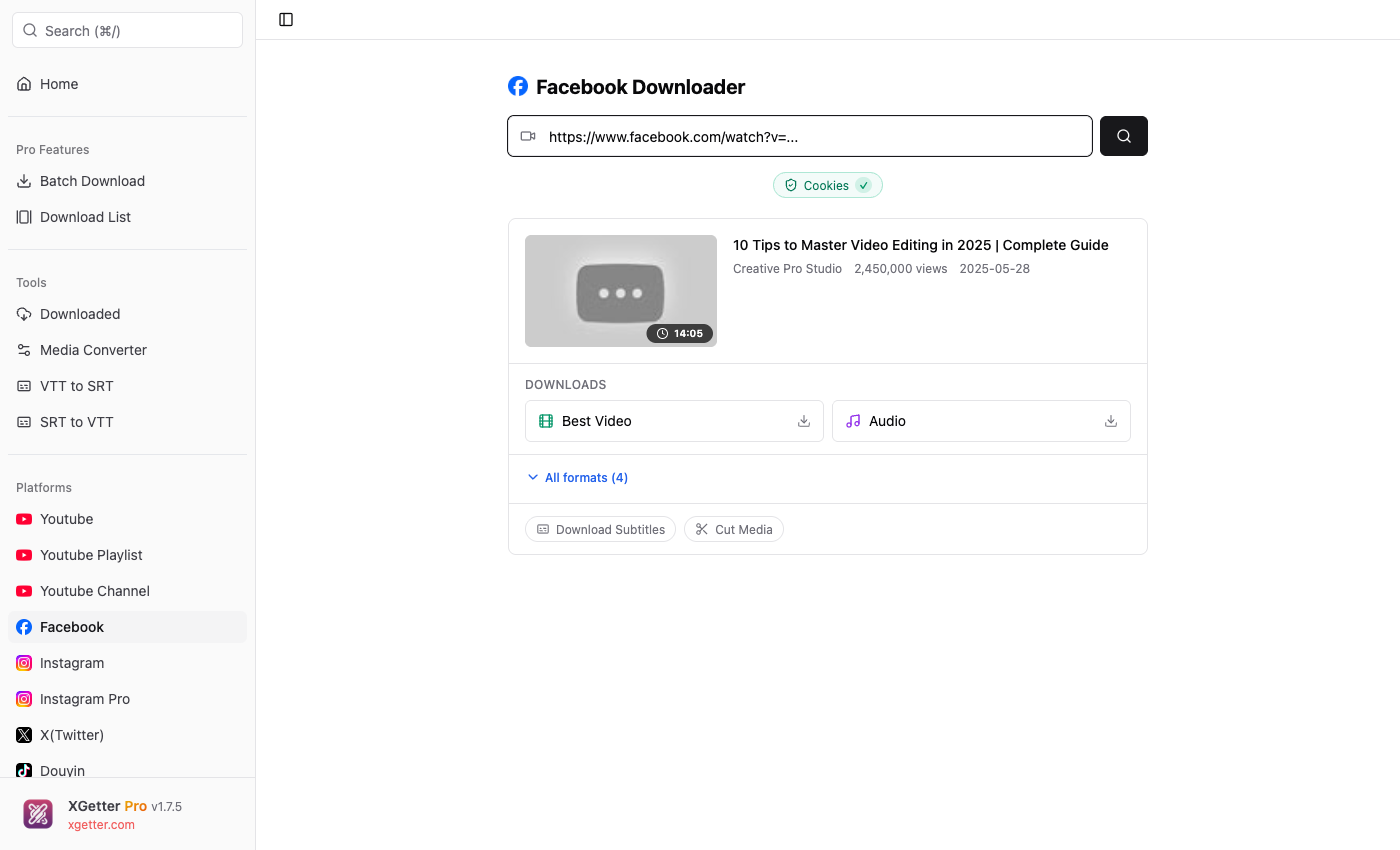
How to Download Video from Facebook
- Find the video on Facebook that you want to download
- Copy the video URL from your browser's address bar or use the share button
- Paste the URL into XGetter
- Select quality (HD or SD) and click Download
What You Can Download from Facebook
Facebook Video Posts
Download any public Facebook video in the highest available quality — up to Full HD 1080p.
Facebook Reels
Save Facebook Reels to your computer for offline viewing. Full quality, no watermarks.
Facebook Live Videos
Missed a live stream? Download Facebook Live videos after the broadcast ends.
Facebook Watch Videos
Save content from Facebook Watch including shows, series, and original content.
Private Facebook Videos
With XGetter Pro's cookie feature, download videos from private groups and friends-only posts.
Supported Facebook URL Formats
https://www.facebook.com/watch?v=123456789https://www.facebook.com/username/videos/123456789https://fb.watch/xxxxxxxhttps://www.facebook.com/reel/123456789
Frequently Asked Questions
How to download Facebook video on PC?
Copy the Facebook video URL, paste it into XGetter, choose your preferred quality, and click download. The video saves as an MP4 file.
Can I download Facebook videos in HD?
Yes! XGetter downloads Facebook videos in HD (720p) and Full HD (1080p) when available.
How to download Facebook Reels?
Copy the Reel URL from Facebook, paste it into XGetter, and download. Works the same as regular videos.
Can I download videos from private Facebook groups?
Yes! Use XGetter Pro's cookie authentication to access and download videos from private groups you're a member of.
Download XGetter Now
Start downloading Facebook videos in HD quality today: